
Scenarios on the chart and the "Accept scenario" button
Short version for experts: tables, lists and screenshots only.
Words in this lesson (6)
What a scenario is in MAMAY
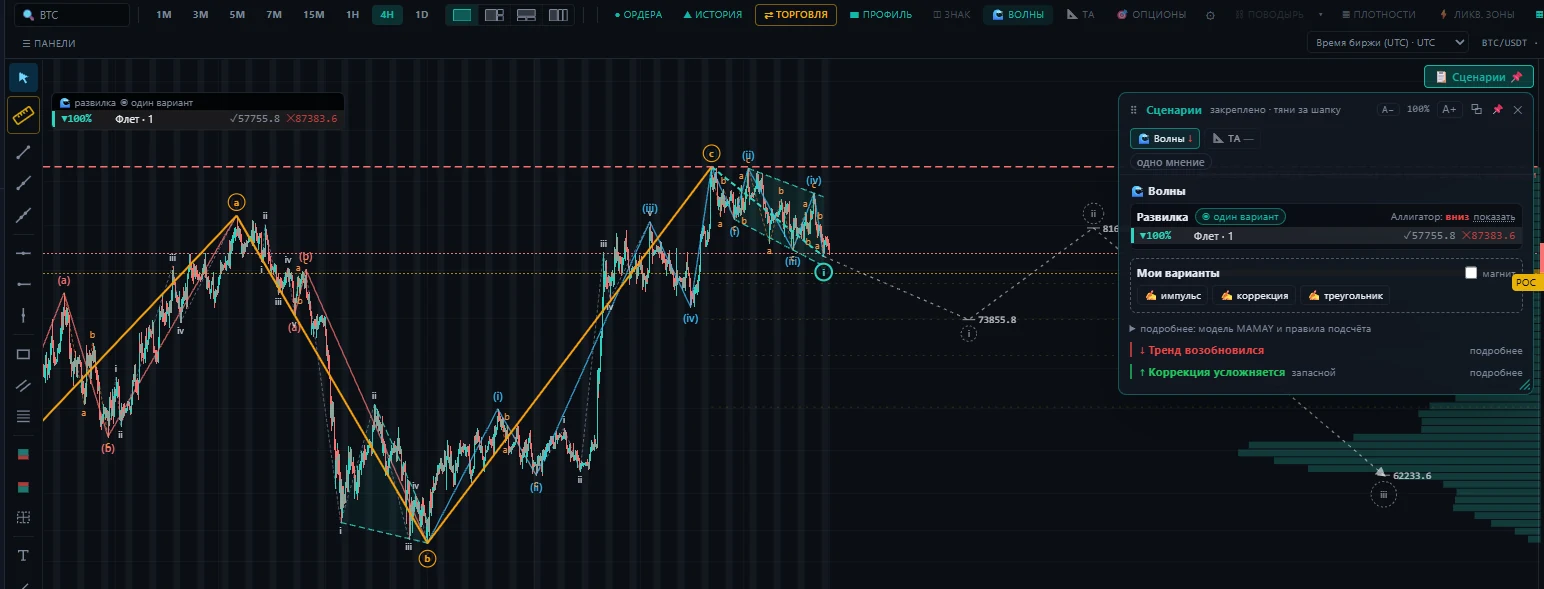
A scenario is a ready plan: side, entry, stop, target and an invalidation condition. MAMAY builds scenarios from three independent sources and shows them in one card on the chart.
| Source | Where it comes from | How much you can trust it |
|---|---|---|
| Screener | screener rules tested on history | the most reliable: the rule has statistics |
| Waves | the wave count | a hypothesis by the rules of wave analysis |
| Levels | places where the price turned before | the more touches, the stronger the level |
If the sources point the same way, the idea is stronger. If they disagree, or none of them gives a direction, the card says so: better to watch.
The "Scenarios" card
- The "📋 Scenarios" button on the chart opens and pins the card.
- You can drag the card by its header. Within the chart it simply moves. Drag it outside the chart and the card detaches and stays on top of any tab: you can open a screener or the settings and still keep the scenario in sight. Drag it outside the MAMAY window and the card becomes a separate window you can put on a second monitor. The ⧉ icon in the card header does the same.
- To bring the card back to the chart — the "📋 Scenarios" button on the chart or the 📌 icon in the card itself.
- Drag the bottom right corner to make the card and its text larger or smaller. Next to it are the A− and A+ buttons; a double click restores the normal size.
Accept a scenario
A scenario with a side and levels gets an "Accept scenario" button. After you click it:
- The order type, entry price, stop and target are moved into the trading panel.
- The button for the right side lights up, the opposite one is dimmed.
- Plan lines appear on the chart: entry, stop, target.
- A "Scenario accepted" block appears in the panel with the math: the risk in percent, the reward-to-risk ratio and the risk-based size.
Two things are left for you: set the size and click the side button.
Protection from an accidental mistake
If a long scenario is accepted and you click Short, the panel won't send the order right away. It warns you: "this is against the scenario" — and asks you to click again if that's what you meant. An order against the scenario goes without the scenario's stop and target.
An accepted scenario can be cleared with one button: the highlighting disappears, the filled-in fields stay.
What to check before you click
- There is a stop. If the scenario has no stop, set one yourself. No entry without a stop.
- Reward to risk of at least 1.5. If the panel says "target closer than stop", better skip the trade.
- Risk as a percent of the account — no more than your rule (usually 1%).
- The invalidation condition — read it in the card. It's the price or event after which the scenario no longer applies.