
A trading terminal for active traders
A trading terminal is the program where a trader watches the market and places orders. Here is what actually matters in one, and how MAMAY Trading Terminal handles it.
What matters in a trading terminal
An exchange gives you a chart and an order form. You need a separate terminal once that stops being enough, usually for five reasons:
- Order speed. Click a price in the order book, set stop and target at once, use hotkeys.
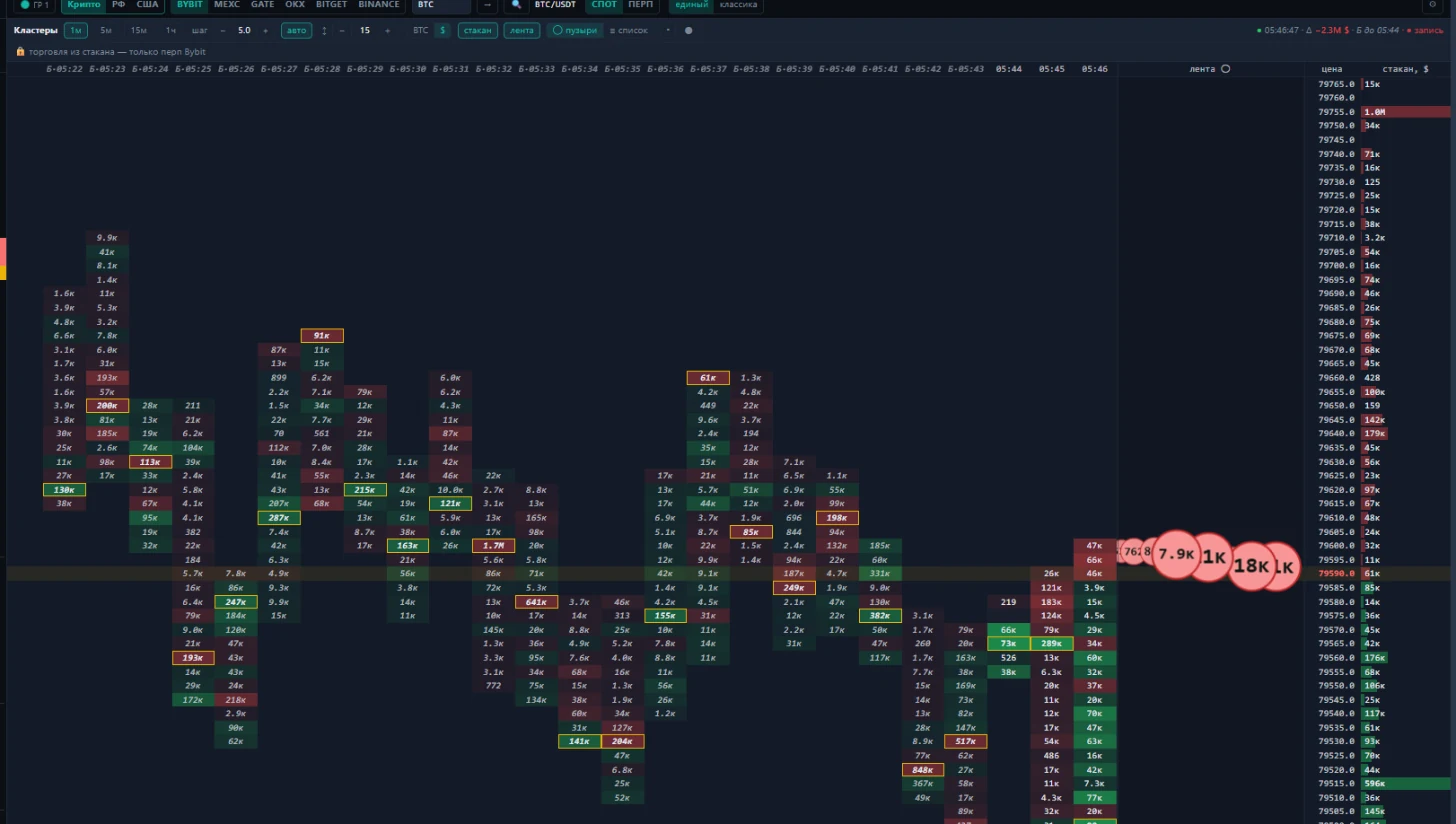
- Depth of data. A deeper order book than the exchange shows, a trade tape, volume footprint.
- Several venues. One layout for every exchange instead of browser tabs.
- Finding ideas. Screeners scan the market and show you where to look.
- Controlling yourself. A trade journal, statistics and risk limits.
What MAMAY includes
MAMAY puts all of this in one window on the same data. Each market has its own screeners, while the chart, order book, news and journal are shared.
| Market | What you get |
|---|---|
| Crypto | Binance, Bybit, OKX, Gate, Bitget, MEXC: spot and futures, screeners, arbitrage, transfers between exchanges |
| US stocks | Premarket, earnings, range, flag and momentum screeners, news, waves |
| Moscow Exchange | Data via Alor, trade tape and deep order book, Pre-open, Ranges and Flags screeners |
Terminal panels are separate blocks: move them, resize them, dock them and save them as layouts. Crypto charts run from 1 minute to 1 day, including the 3- and 7-minute timeframes that exchanges don't offer.
DEMO first, real account later
In DEMO mode the terminal trades on a DEMO account against the live order book: the prices are real, your money isn't involved. Real orders are off by default and have to be switched on explicitly. Exchange keys stay on your computer and never go to the cloud.
What's free
Free with no time limit: the terminal with chart, order book, tape and footprint, manual trading with your own exchange key, three DEMO accounts, lessons and the journal. Free charts are 1 hour, 4 hours and 1 day. Timeframes below an hour, crypto screeners and real-time arbitrage come with the Pro subscription.
For more on working fast with the order book, see the scalping terminal page.
FAQ
What systems does MAMAY run on?
Windows 10 and 11. It installs without admin rights and opens as its own window or in a browser. Other platforms are planned.
Do I need exchange keys to try it?
No. DEMO mode and the lessons work right away with no keys at all. You connect keys later, step by step, when you want to trade your own account.
Can I trade several exchanges from one window?
Yes. You choose the exchange and market in the trading panel: Bybit, Binance, OKX, Bitget, Gate and MEXC, spot and futures. On an exchange that's new to you, make the first real trade at minimum size.