
Crypto arbitrage scanner
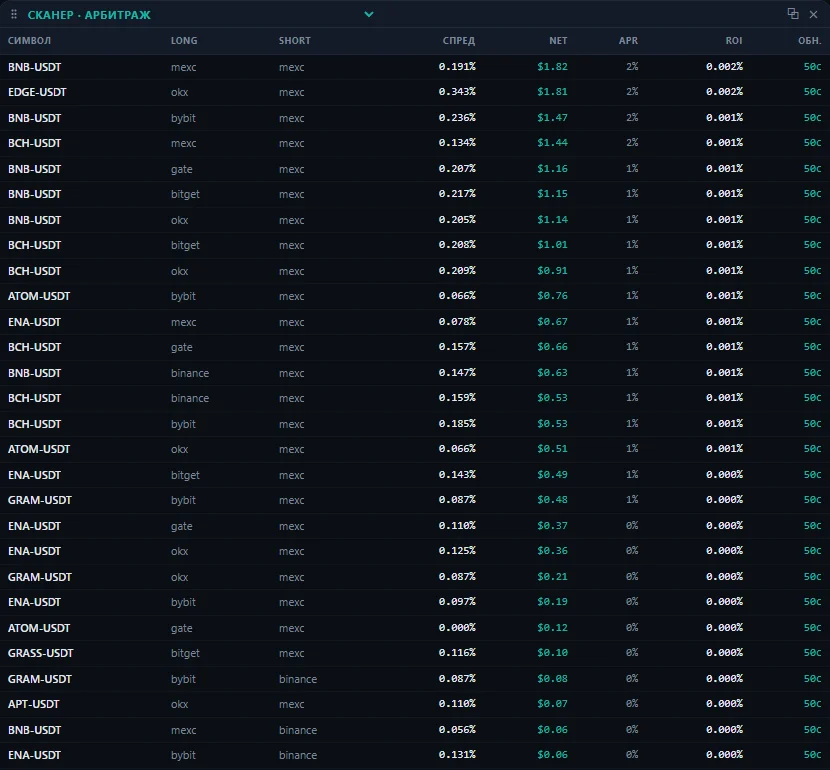
Most opportunities that scanners find go negative after fees and slippage. So MAMAY doesn't count the price difference. It counts what's left after all costs.
What cross-exchange arbitrage is
The same coin can have different prices on two exchanges. An arbitrageur buys where it's cheaper and sells where it's more expensive. You don't have to guess the market's direction, only the price difference matters.
The catch is costs. A visible 0.6% spread easily disappears after fees on four trades, slippage through the order book, funding and the cost of moving the coin between exchanges.
What MAMAY counts
| What's counted | Why it matters |
|---|---|
| Order book depth | The fill is worse than the best quote, and worse still at larger size |
| Fees | They apply to every trade in the pair |
| Funding | On futures it's paid or received on a schedule |
| Transfers between exchanges | Each network has its own fee, minimum and arrival time |
Types of opportunities
- Exchange ↔ exchange: buy spot on one exchange, transfer, sell on another.
- Perp ↔ perp: a price gap in the same contract on two exchanges.
- Perp ↔ spot: a position against spot where funding also matters.
Transfers between exchanges
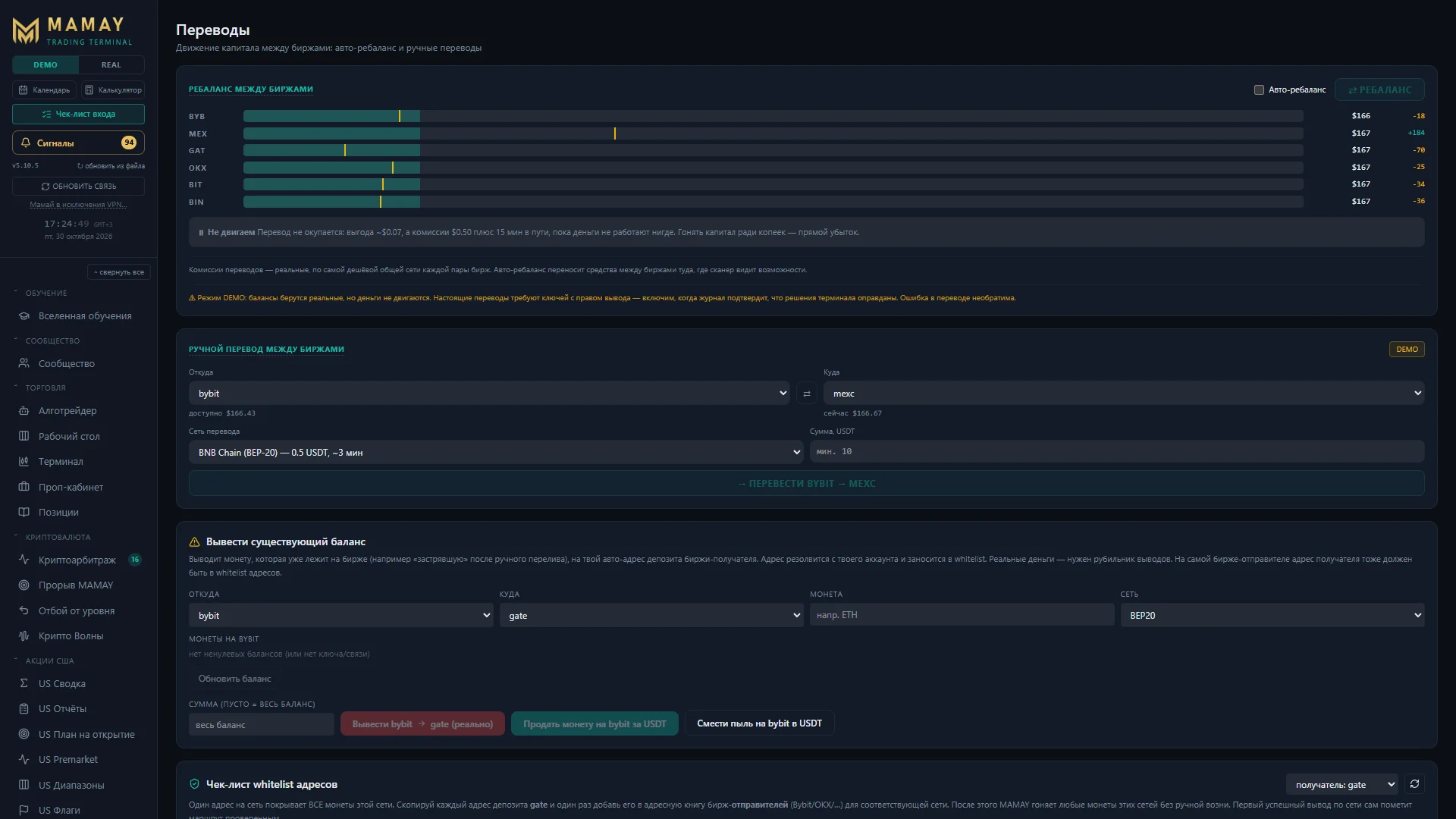
Connect API keys and MAMAY moves coins and USDT/USDC between exchanges: it picks the network, checks the address against the whitelist, checks the minimum and fee, and waits for the funds to arrive. Withdrawals only go to whitelisted addresses.
Set up with your AI
Six exchanges, keys, permissions and whitelists usually take days. In MAMAY the mentor walks you through it using your AI: it sees the setup screen and explains what the exchange's responses mean. Keys and wallet addresses don't go into the AI request.
What's free
The free showcase lists opportunities every 15 minutes. That's enough to see what they look like and how much is left in them. You can't trade from it: an opportunity lives for seconds and minutes. Real-time data, an opportunity card sized to your volume and transfers are in Pro.
FAQ
Is arbitrage between exchanges hard to set up?
The longest part is the keys, permissions and whitelists on each exchange. The mentor walks you through it, and the setup wizard finds whitelist addresses for each network by itself.
Which exchanges are supported?
Binance, Bybit, OKX, Gate, Bitget and MEXC.
Can I test opportunities without money?
Yes. The Algo Trader works opportunities on a DEMO account against the live order book before you decide to trade with real money.