
Crypto screener in the MAMAY terminal
A screener scans hundreds of coins and shows the ones worth a look today. In MAMAY it runs inside the terminal: find a coin and open its chart and order book on the spot.
Which crypto screeners MAMAY has
- MAMAY Breakout finds the coins where the action is today. It looks at open interest and walls in the order book.
- Level Bounce watches large orders in the order book and whether they hold or get pulled. It's off by default and turned on in settings.
- Crypto Waves shows coins with wave counts and alternative scenarios.
- Smart Money shows where liquidity and imbalance have formed on the chart.
- Options and GEX show gamma exposure, walls and the expected move.
- The Screener Builder lets you assemble your own filter.
Signals from each screener can go to Telegram, so you don't have to sit at the screen all day.
Why a screener inside the terminal
A typical online screener gives you a list of coins, and then the window juggling begins. In MAMAY a screener row opens the chart, order book, tape and trading panel for that same coin.
Screener settings are open: change them to fit your strategy. The built-in values are just a starting point.
Checking signals against history
A screener doesn't guarantee a result. So next to the signals MAMAY shows statistics: the mean and median after fees for each signal type. You can see which ones are worth your attention and which to turn off.
What's free
The terminal, chart, order book and manual trading are free. Crypto screeners and Telegram signals are part of Pro, and new beta participants get 14 days of Pro with no card or prepayment.
If you're just starting, first read what a screener is and how to use one.
FAQ
Which exchanges does the screener work with?
Six: Binance, Bybit, OKX, Gate, Bitget and MEXC.
Is there a free crypto screener?
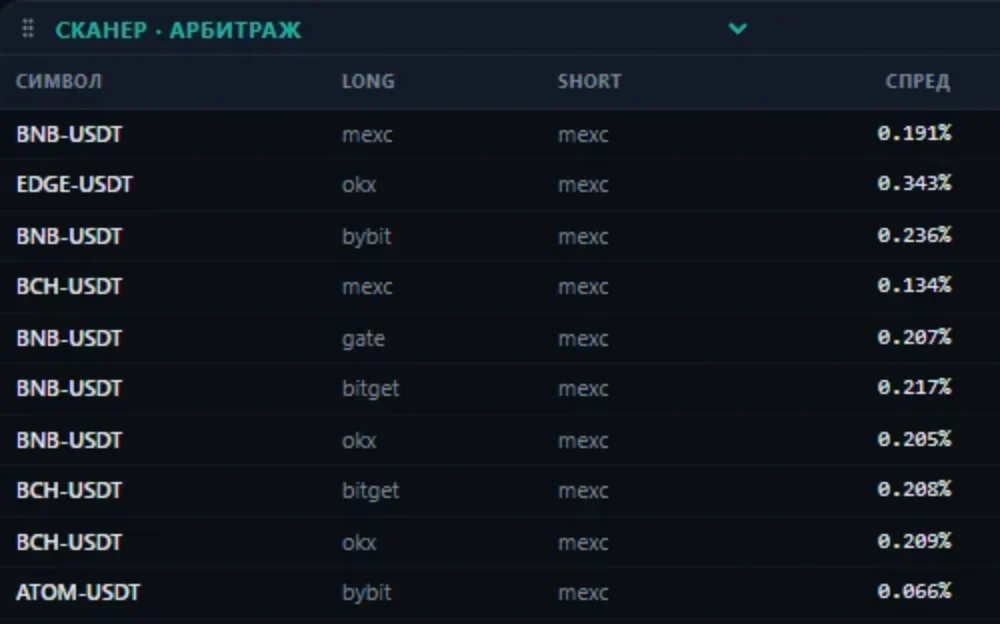
The free part includes the arbitrage showcase, updated every 15 minutes. Coin screeners and Telegram signals are in Pro, which you can try free for 14 days as a beta participant.
Does it suit scalping?
Intraday work needs minute charts, and those are in Pro. How the order book workflow is set up is described on the scalping terminal page.
Does the screener open trades by itself?
No. A screener shows you where to look, and the decision is yours. Automation is a separate section, the Algo Trader, and it starts on a DEMO account.